
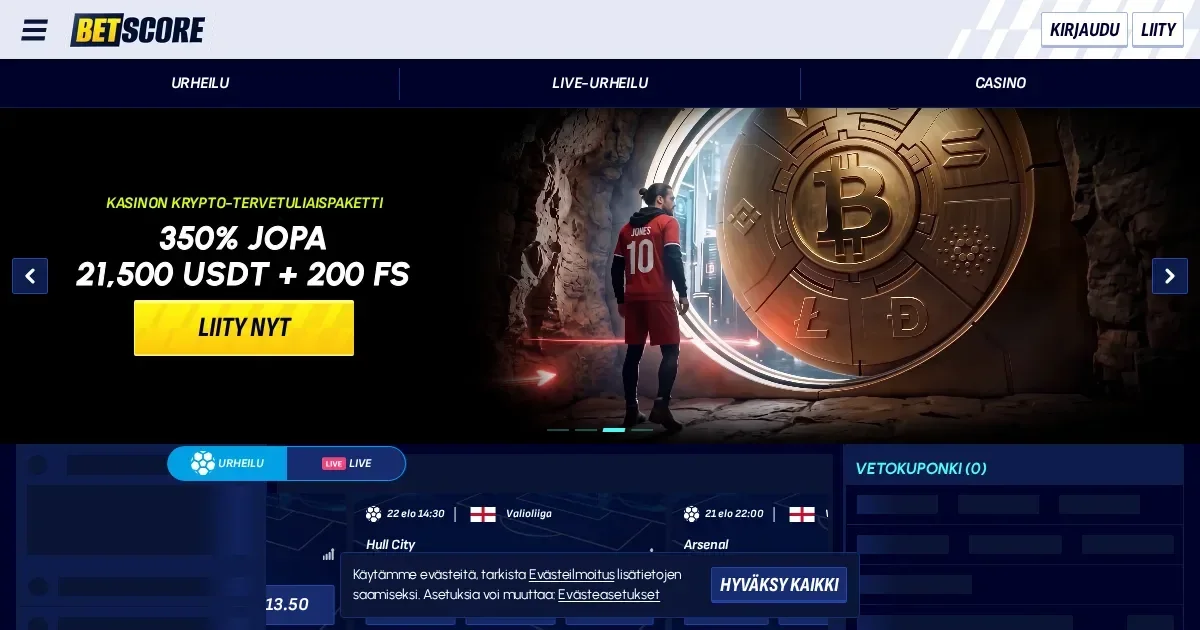
Mobile at Betscore
Playing at Betscore from a phone means opening the operator's site in a mobile browser – there's no native app to download. The platform is built to fit smaller screens, and you use the same account and balance whether you're on a laptop or a phone. Over 11,500 pokies, 132 live dealer games and the full sportsbook are all accessible through Safari, Chrome or whichever browser your device runs.
The cashier, account settings and customer support all work on mobile. Deposits, withdrawals and verification uploads happen the same way they do on desktop. What changes is the layout – menus collapse into icons, game grids stack vertically, and lobby filters sit behind a tap rather than spread across the screen.
Day-to-Day Use on a Phone
The games library loads in full. Pokies from providers like NetEnt and Amusnet run without installation – tap a title and it opens in the browser window. Live dealer tables stream over mobile data or Wi-Fi, though a stable connection matters more here than it does for pokies. Picture quality adjusts to your bandwidth, and you can rotate the screen to landscape for a wider view of the table.
Placing a sports bet works the same way as it does on desktop. The bet slip sits at the bottom of the screen, odds update live, and the BetBuilder tool for combining outcomes from a single event is available on mobile. Pre-match and in-play markets load quickly, though scrolling through dozens of fixtures on a small screen takes longer than scanning them on a monitor.
Account functions sit in a menu at the top corner. From there you reach the cashier, upload verification documents, check your VIP level, exchange Energies in the Shop, or spin the Wheel of Fortune if you've earned a turn. The process is identical to desktop – just compressed into a narrower layout.
| Feature | Mobile Access |
|---|---|
| Pokies | Full library, browser play |
| Live dealer | All 132 tables, video stream |
| Sports betting | All markets, BetBuilder included |
| Cashier | Deposits, withdrawals, same methods |
| Support | Live chat and email |
| Verification | Document upload from phone camera |
Installed App Versus Site in a Browser
Betscore runs entirely in the browser – no download required and no app to install. This means no storage space used on your device, no update prompts, and no difference in features between iOS and Android. The trade-off is that you bookmark the site rather than tap an app icon, and your browser needs to stay open while you play.
A native app would offer faster load times and the option to receive push notifications about promotions or bet outcomes. Without one, you rely on email or checking the site manually for updates. Session continuity depends on your browser – if you close the tab or your phone clears it in the background, you'll need to log in again when you return.
Known Limits on a Small Screen
Browsing 11,500 pokies on a phone takes patience. Filters help – you can narrow by provider, feature or jackpot type – but scrolling through pages of thumbnails is slower than scanning a grid on a large monitor. Game previews and descriptions are harder to read without zooming, and switching between the lobby and a game you've opened means reloading the list each time.
Live dealer tables work well in landscape mode, but chat windows and betting interfaces compress in portrait. Some tables show a smaller version of the betting grid, and tapping the wrong chip or spot is easier on a touchscreen than clicking with a mouse. If you're playing multiple hands of blackjack or tracking several roulette outcomes, the limited screen space gets cramped quickly.
The sportsbook's odds boards and multi-market views are dense. Scrolling through dozens of football fixtures or horse racing cards on a phone screen is manageable but not quick. Building a multi-leg bet with the BetBuilder tool works, though selecting and reviewing your picks takes more taps than it would on a desktop.
What Tends to Disappear
Some desktop features shrink or move out of sight on mobile. Promotional banners that sit across the top of the page on a monitor often collapse into a single rotating slot on a phone, so you might miss an ongoing reload offer if you're not checking the promotions page directly. The Wheel of Fortune and Shop interfaces load, but their multi-step flows – picking a reward, confirming the exchange, then activating it – feel longer when each step redraws the screen.
Verification uploads are simpler from a phone in one sense – you can photograph your ID or utility bill with the device's camera rather than scanning it elsewhere – but reviewing the image quality on a small screen before submitting it is harder. A blurry document that gets rejected means repeating the process.
What to Check First
Before placing a bet or spinning a pokie on mobile, confirm you're on the operator's real domain. Phishing sites that mimic legitimate operators are common, and a mistyped URL on a phone keyboard is easier to miss than on a desktop. Bookmark the correct address after your first login, or type it carefully each time.
Check your connection. Live dealer streams and sports markets updating in real time need stable data or Wi-Fi. A dropped connection mid-spin won't cost you the wager – the result is determined server-side – but it interrupts play and forces a reload. On mobile data, large sessions can chew through your allowance quickly, especially if you're streaming video tables.
Set deposit and time limits before you start. The responsible gambling tools Betscore offers – session reminders, deposit caps, self-exclusion requests – work the same way on mobile as they do on desktop, but they're easier to ignore when the screen is in your hand all day. If you've set a monthly deposit limit on desktop, it applies to mobile deposits too. If you haven't set one, the cashier is always a tap away, which makes impulse deposits simpler to execute.
Sign out when you're done, especially on a shared device or if you're playing in a public place. A browser left logged in is an open account, and mobile devices are easier to lose or lend than laptops.
Battery and Session Length
Streaming live dealer video drains battery faster than playing pokies. If you're planning a long session away from a charger, a power bank is worth carrying. Screen brightness also matters – dimming it extends battery life without affecting gameplay, though it makes the screen harder to read in bright sunlight.
Mobile sessions tend to be shorter than desktop ones, which can be a benefit. Playing in five-minute bursts on a commute or between errands keeps stakes and losses smaller than a two-hour evening session would. The flip side is that the cashier is always in your pocket, and topping up a balance on impulse is easier when the site is a thumb-tap away.
Responsible Gambling
Gambling is restricted to adults aged 18 and over. If you're finding it hard to control how much time or money you're spending, help is available through the National Gambling Helpline on 1800 858 858, free and open 24 hours a day, seven days a week. Online chat and email counselling are also offered through Gambling Help Online.
You can exclude yourself from all licensed Australian online wagering providers at once through BetStop, the National Self-Exclusion Register at betstop.gov.au. Registration is free and blocks access for a minimum of three months. Note that BetStop covers licensed wagering providers; it does not extend to online casino games, which are not lawfully provided in Australia.
Betscore offers account-level tools including self-exclusion, which you can request by emailing [email protected]. These are the operator's own controls and apply only to this platform. For broader blocking across devices and sites, consider software like Gamban or BetBlocker.
Disclaimer: This site is an independent information portal. We do not operate a casino, take bets or organise gambling. All content is provided for adults aged 18+ only. If you need support with problem gambling, contact the National Gambling Helpline on 1800 858 858 or visit betstop.gov.au.